
TT Playbook Player just got its biggest update so far — six new features, all born from the same thought: whatever you need at the table should be in the app, not somewhere else. A rule question, counting points, which rubber is on your blade, what a tournament is worth in rating points — that used to be six different places to look things up.
Everything below works offline. Anything that requires Pro says so explicitly.
1. Look up the rules, even mid-match
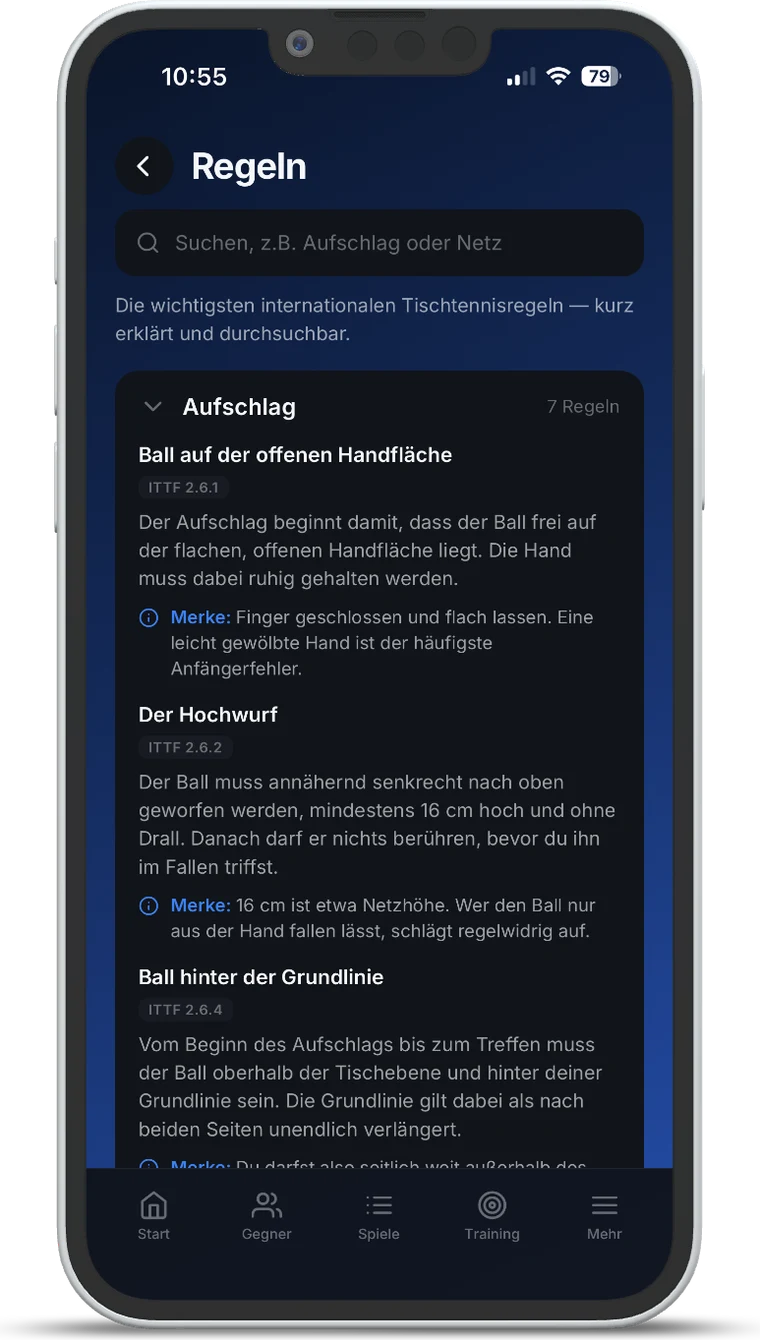
The key international table tennis rules are now in the app: 30 rules across six categories — service, scoring, rallies, doubles, equipment and conduct. You search by keyword, not by paragraph. Typing “net”, “edge ball” or “towel” is enough.
Every rule is summarised in plain words, with its reference in the ITTF rulebook alongside. Each one comes with a practical note: on the toss rule, for instance, it points out that 16 centimetres is roughly net height — and that simply dropping the ball out of your hand is an illegal serve.
The collection works offline and is included in every plan, the free one as well. The official wording is of course what counts, and it is linked from inside the app.
2. Scoreboard: count points in the app
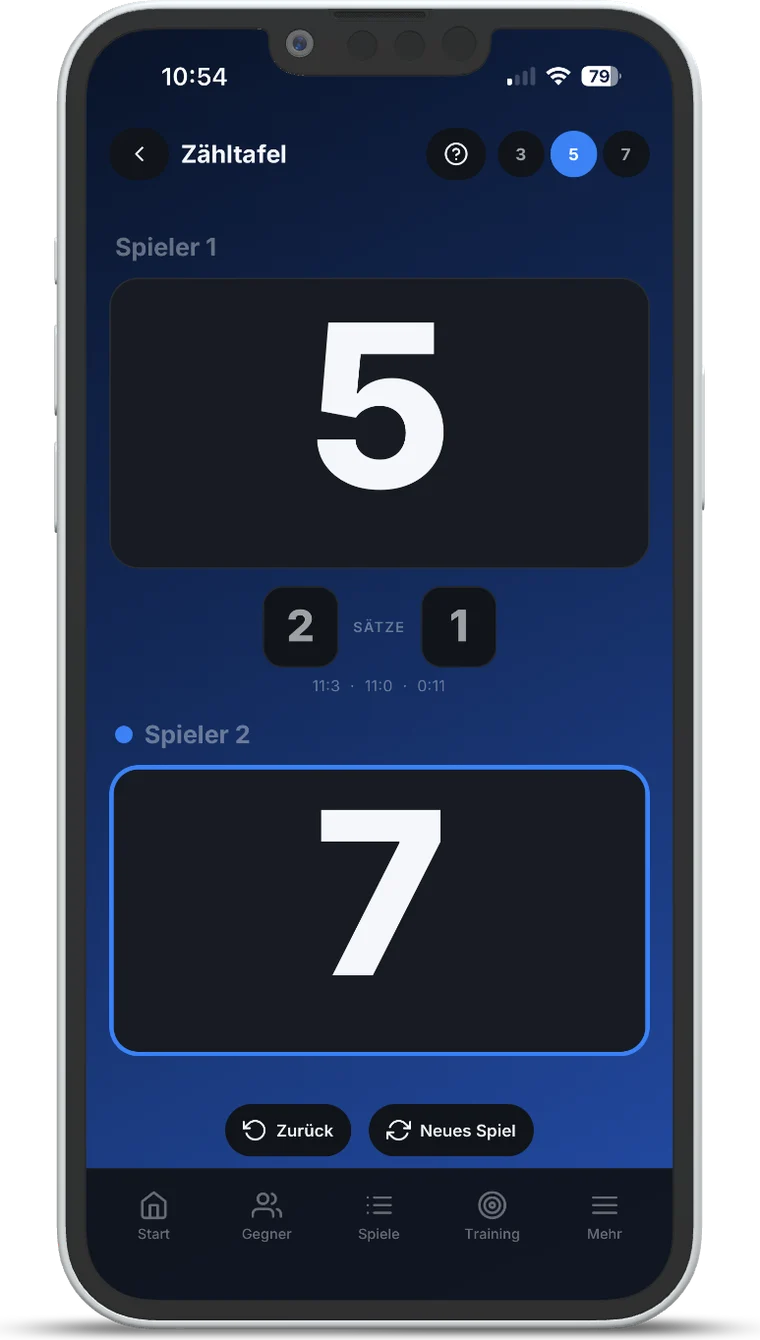
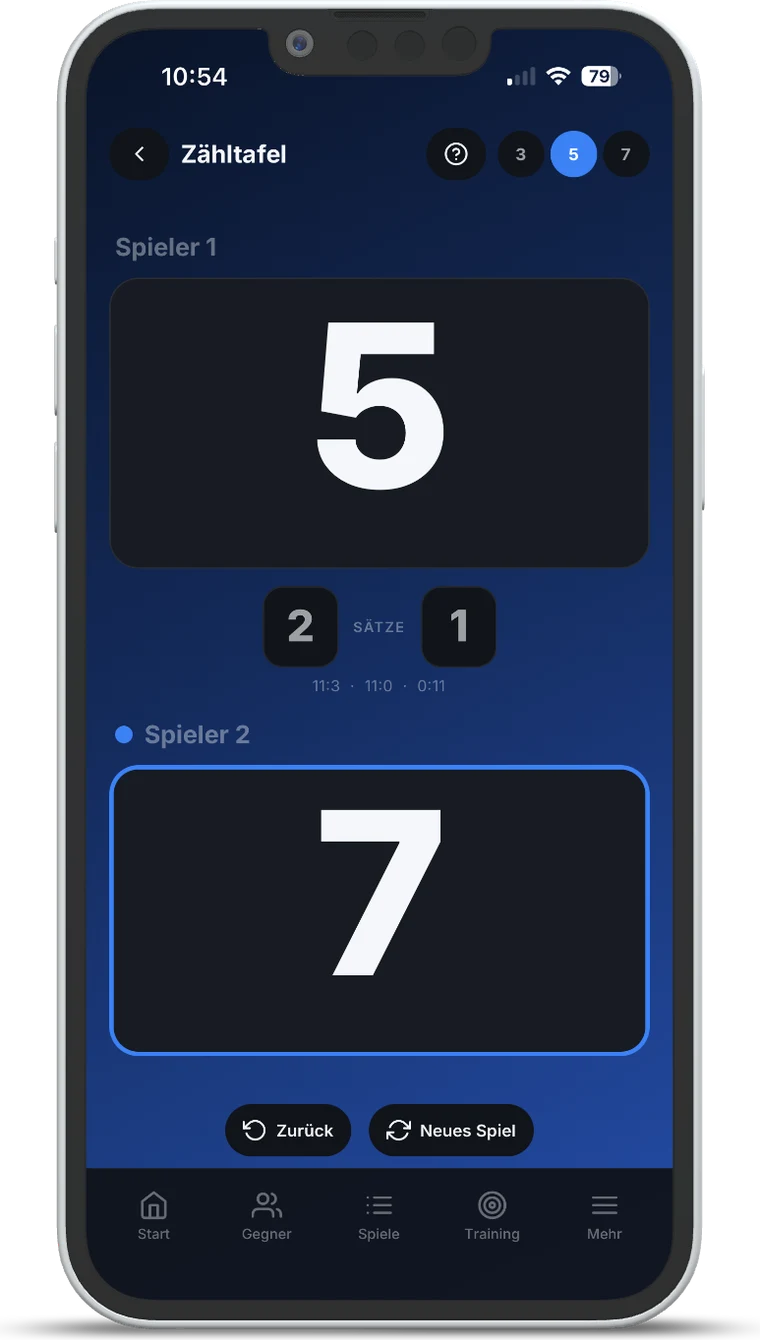
Anyone who plays without an umpire knows the argument that starts after the seventh rally. The scoreboard turns that into a glance at the table: big numbers, the set score between them, previous sets in a line underneath.
Service is tracked and switches automatically — every two points, and every point once you are into deuce. An undo button takes back the mistap without retyping the whole set. Before you start, you can set whether the match goes to two, three or four games.
Turn the phone sideways and the app switches to the scoreboard view on its own.
3. Backups: everything in one file
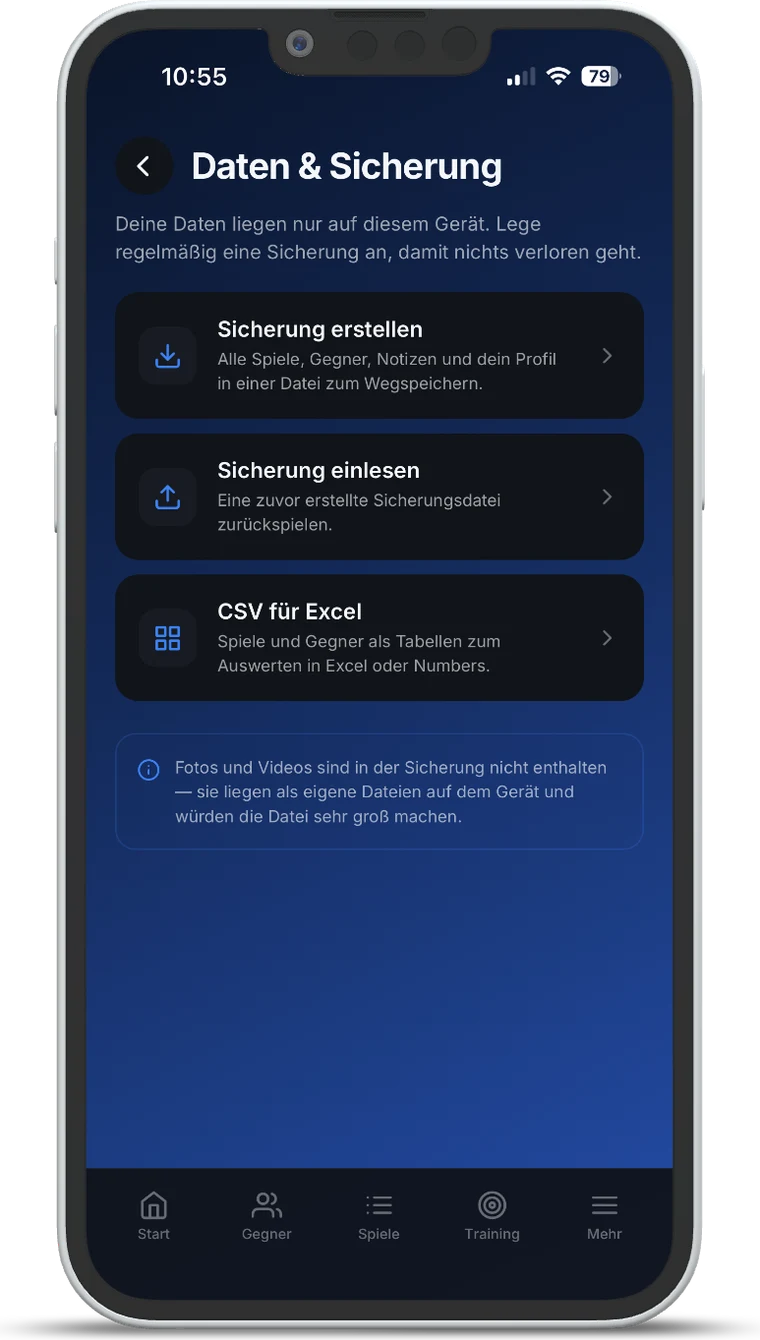
Because the app works offline and your data stays on your device, there was an uncomfortable gap: switching phones meant losing everything. That is fixed. Every match, opponent, note and your profile can be written to a single file — and restored just as easily after a reinstall or on a new phone.
One thing is deliberately left out: photos and videos are not part of the backup. They sit on the device as separate files and would make the backup unusably large. The app says so at that exact spot, so nobody gets an unpleasant surprise after switching devices. If you want to keep your videos, copy them separately.
If you would rather crunch your own numbers, export matches and opponents as CSV and open them in Excel or Numbers. The CSV export belongs to Pro; the backup itself is there for everyone.
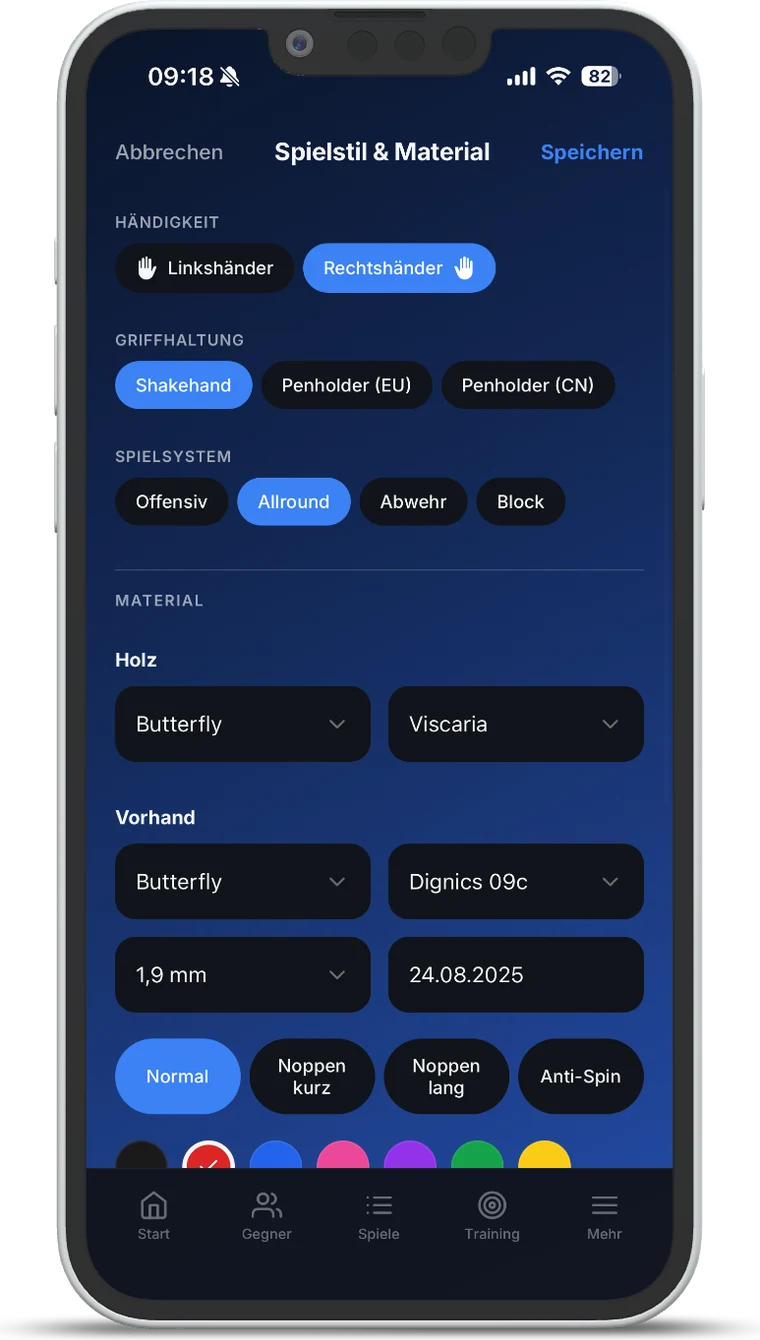
4. Pick your equipment instead of typing it
Equipment is part of scouting — your own as much as your opponent’s. Until now that meant typing everything by hand, in whatever spelling came to mind. That is hard to work with afterwards.
Now around 300 rubbers and 170 blades from the common brands are available as a list. Pick the brand, pick the model, pick the sponge thickness. Once you have chosen a brand, the model list shows only that brand’s models — and you can search by name on top of that.
For anything not on the list, “enter your own” stays available. The catalogue is there to make the normal case faster, not to rule the exception out.
5. TTR calculator for Germany
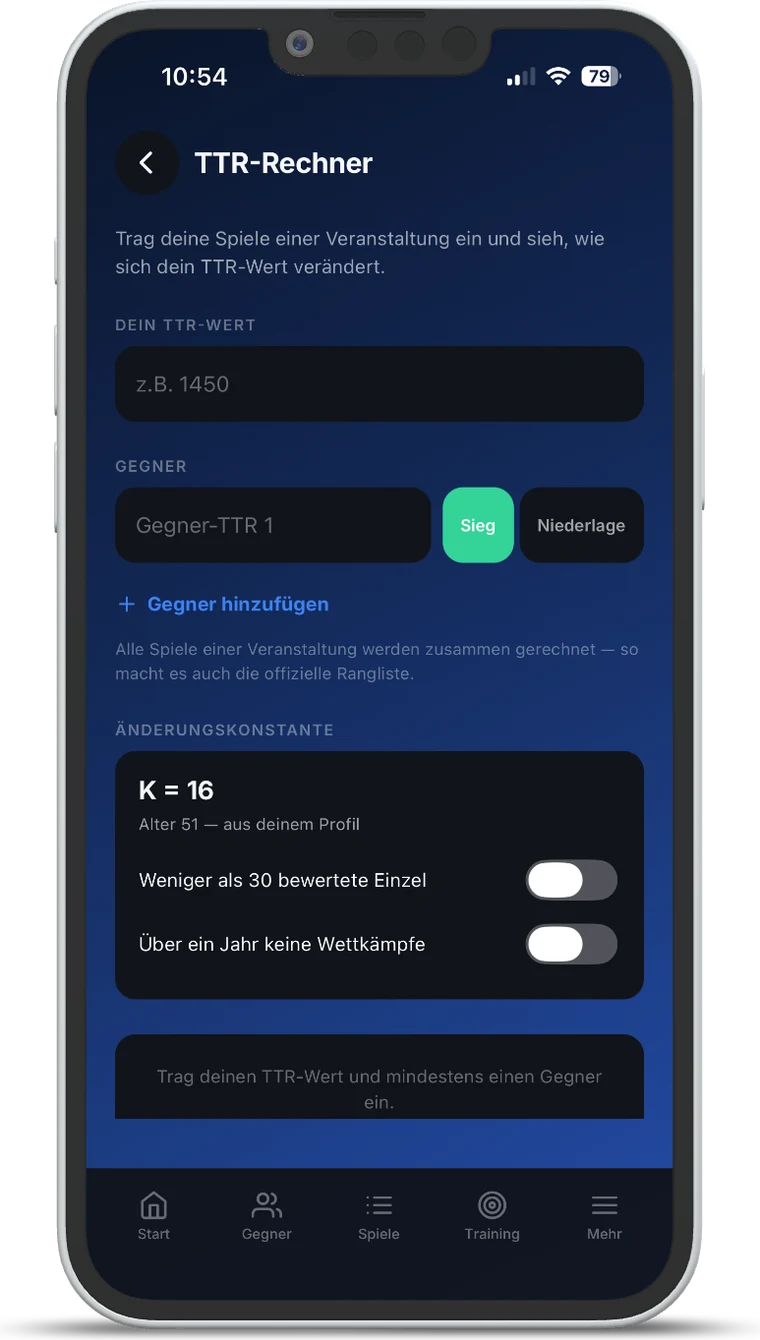
Players in Germany know the maths that follows a weekend of matches: what does this actually do to my TTR rating? The calculator now answers that inside the app, following the official method of the German federation.
You enter your own TTR value and then, for each match, your opponent’s value and the result. All matches of one event are calculated together, exactly as the official ranking does it. The app takes the rating constant from the age in your profile and lets you adjust it for the special cases — fewer than 30 rated singles, or no competition for over a year.
Worth being clear about: this is a calculator for your own forecasting, not a sync with myTischtennis. It only appears if your profile lists Germany as the country you play in — other federations use different methods.
6. Now in French, too
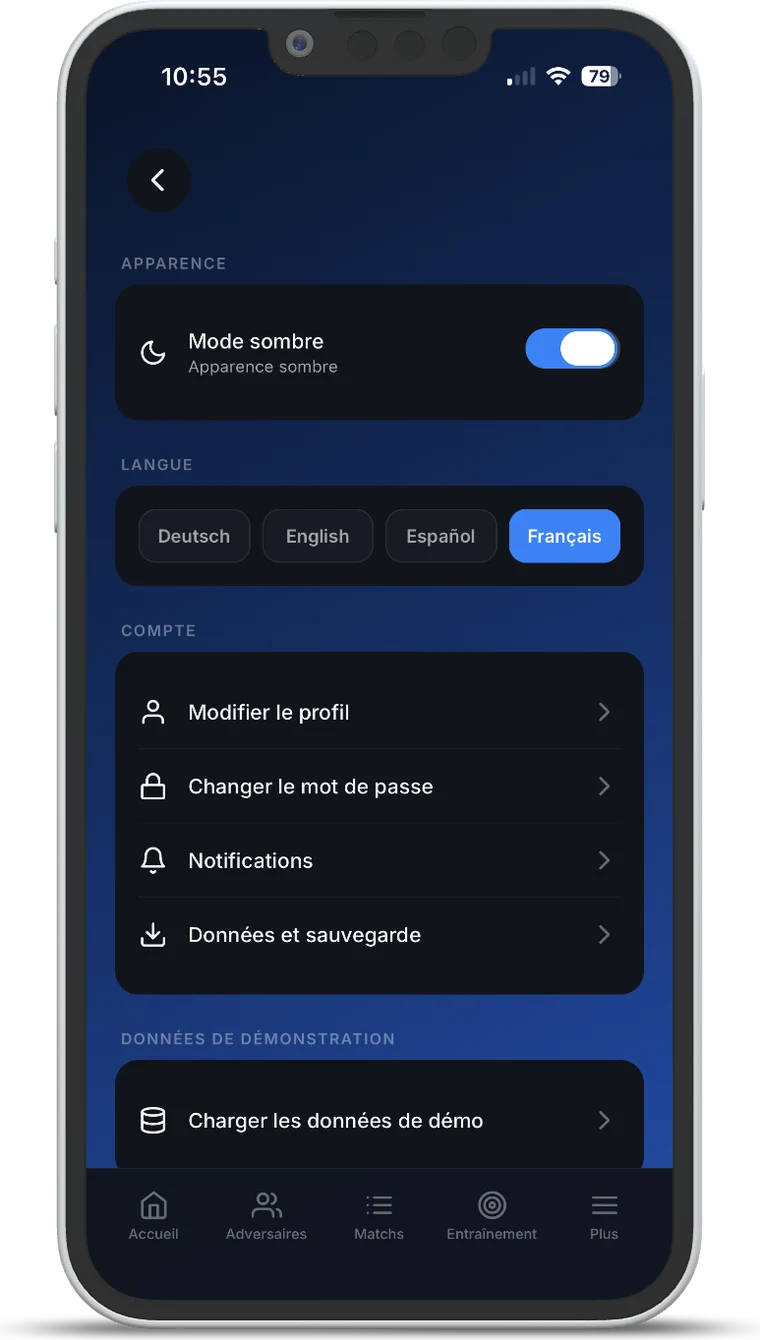
TT Playbook Player is now available in French, alongside German, English and Spanish. You switch in the settings, no restart needed.
This website followed suit: the home page, both app pages, contact, the blog and the legal texts are now available in French as well.
What else is in there
On top of that come many smaller improvements to sign-in, translations and presentation — hard to put in a headline, but noticeable day to day.
The update is available for iPhone and Android. If you already have the app, it arrives the usual way — and the app points it out the next time you open it.